Best DAW for Beginners (2026): How to Pick Your First DAW
Your recording software is the centerpiece of your home studio, but with so many options, finding the best DAW for beginners can feel overwhelming.
The right choice usually comes down to your practical constraints: whether you use a Mac or PC, your budget, and whether you plan to record vocals and instruments, make beats, or both.
To help you decide, we evaluated the most popular DAWs based on the criteria that matter most to beginners:
- Learning curve: How easy is it to get started?
- Cost: Is there a free or affordable option?
- Growth potential: Is it easy to upgrade?
What is a DAW?
DAW stands for Digital Audio Workstation. Simply put, it’s a recording studio inside your computer, phone, or tablet. It’s the software you use to record vocals and instruments, program beats, arrange tracks, and mix your final song. No matter what type of music you make or where you record it, your DAW is the central hub. It’s the exact same tool whether you’re making beats in a bedroom or tracking a full band in a commercial studio. With that covered, let’s get into our list.
Quick takes
Best DAW for beginners overall: GarageBand. It is completely free, easy to use and comes pre-installed on every Apple device. Projects carry over when you upgrade to Logic Pro.
Best DAW for beginner hip-hop & trap producers: FL Studio Fruity Edition. Makes programming drums, rolling hi-hats, and 808 basslines fast and intuitive. With a workflow built around beatmaking, it’s a favorite among hip-hop producers.
Best DAW for beginner electronic & pop producers: Ableton Live Lite. An intuitive interface that makes experimenting with loops, samples, and synths feel natural. Perfect for building tracks or performing live. A great choice for any genre.
Best free DAW for sound design and synths: Reason Free. The devices are the big draw. Inspiring synths, drum machines, and effects that sound great from the start. The Rack lets you experiment with powerful sound design techniques in a fun way.
Best cloud-based DAW for beginners: BandLab. Start recording vocals and building beats from your phone or browser. Easy to use, but ads and restricted features might leave you wanting more.
Best DAW for aspiring audio engineers: Pro Tools Intro. The best entry point into a recording workflow used in professional studios. If professional studio work is your goal, Pro Tools is a safe bet.
Best DAW for tech-savvy beginners: Reaper. Powerful and affordable. Not the easiest to use, or the flashiest. But it’s lightweight, stable and customizable.
Best DAW for beginner songwriters: Cubase LE. A great fit for composers who want to share their work with musicians who read sheet music.
Best free DAW with unlimited tracks: Waveform Free. Build full songs without worrying about track limits. A good starting point, but some tools require paid upgrades.
1. Best DAW for beginners overall: GarageBand
Quick overview of GarageBand
| Operating system | macOS 15.6 or later |
|---|---|
| System requirements | A compatible Mac |
| Track limit | 255 tracks (Mac), 32 tracks (iOS) |
| Included plugins | Software instruments, guitar amps, effects, basic EQ and compression |
| Included content | Apple Loops, instrument presets, and downloadable sounds |
| Price | Free |
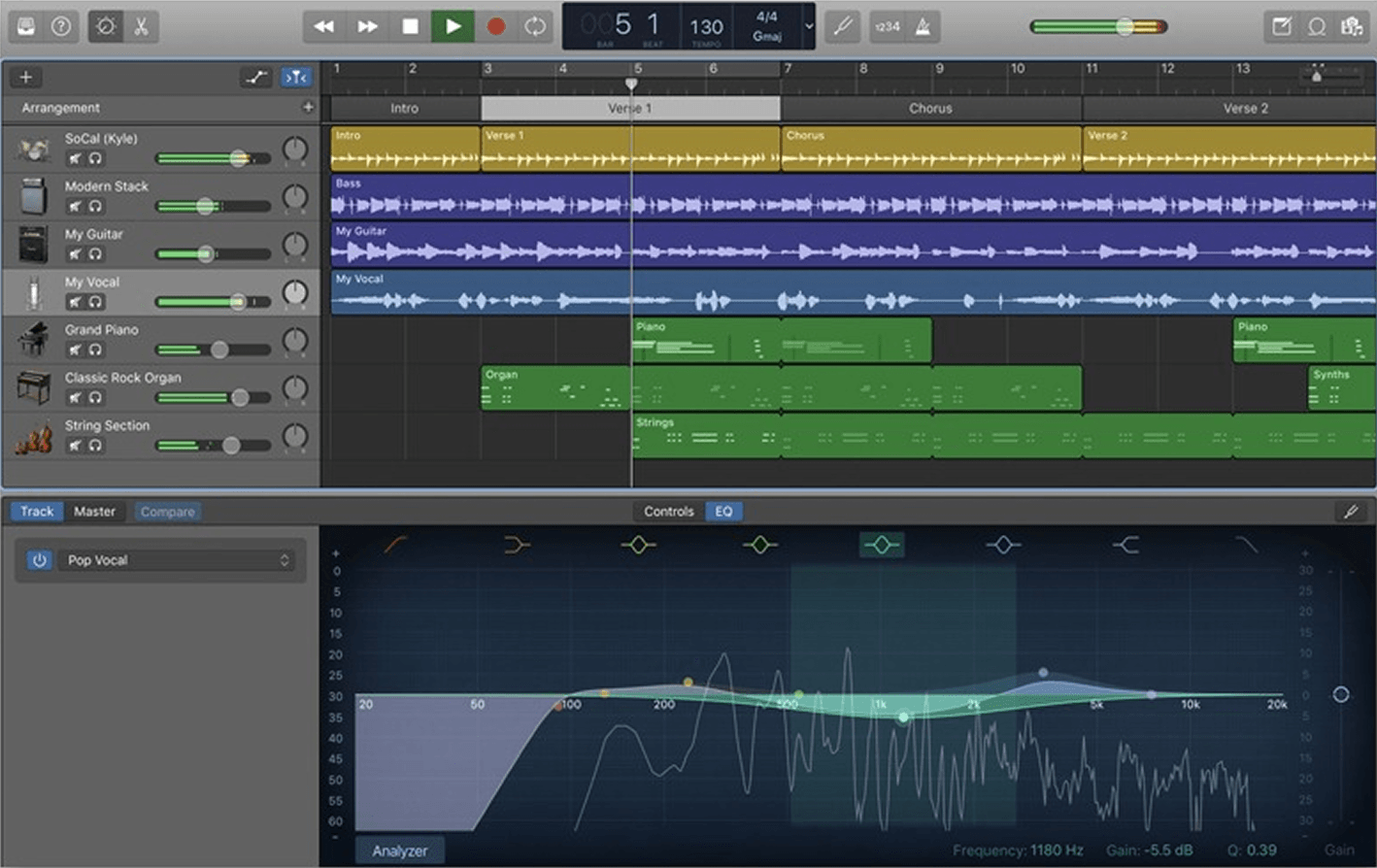
GarageBand is our pick for the best DAW for beginners who already own a Mac, iPhone, or iPad. It’s free, and its straightforward layout helps you learn recording, arranging, and mixing while you make your first tracks.
GarageBand is designed to keep things simple and intuitive, so you can focus on creating music instead of getting lost in menus and settings. You can easily build your own backing track with loops, add a virtual drummer, or record your own vocals and instruments.
Everything is simplified with a small set of knobs, so you can experiment without having to learn each parameter in detail.
If you’re reading this on an Apple device right now, you already have a powerful music-making tool at your fingertips.
Musician and producer Grimes famously recorded her breakthrough album Visions in GarageBand, proof you don’t need expensive software to make music that connects with a larger audience.
When you do eventually need more advanced tools, the path to upgrading is straightforward. You can open your existing GarageBand projects directly in Apple’s more advanced paid DAW Logic Pro.
Pros
- Free, with instruments and effects to get started fast
- Easy to use
- Projects transfer directly to Logic Pro
Cons
- No Windows version
- Limited advanced mixing tools
2. Best DAW for beginner hip-hop and trap producers: FL Studio
Quick overview of FL Studio Fruity Edition
| Operating system | Windows 10/11 or macOS 11 or later |
|---|---|
| System requirements | 4 GB RAM and 4 GB of disk space |
| Track limit | Unlimited MIDI tracks; 8 audio clips |
| Included plugins | 81 instruments and effects |
| Included content | Samples, loops, and free instrument presets |
| Price | $99 (Fruity Edition); free trial with no time limit |
FL Studio Fruity Edition is the best DAW for beginners who want to produce hip-hop, trap, and drill.
It’s also a strong choice for electronic music and other styles built around loops and MIDI, but it’s a favorite among the hip-hop community. You can make the whole beat in Fruity edition, but if you want to record your own vocals you’ll need to upgrade.
FL Studio has been used to make the beats behind modern classics like Pop Smoke’s “Dior” and Lil Uzi Vert’s “XO Tour Llif3”.
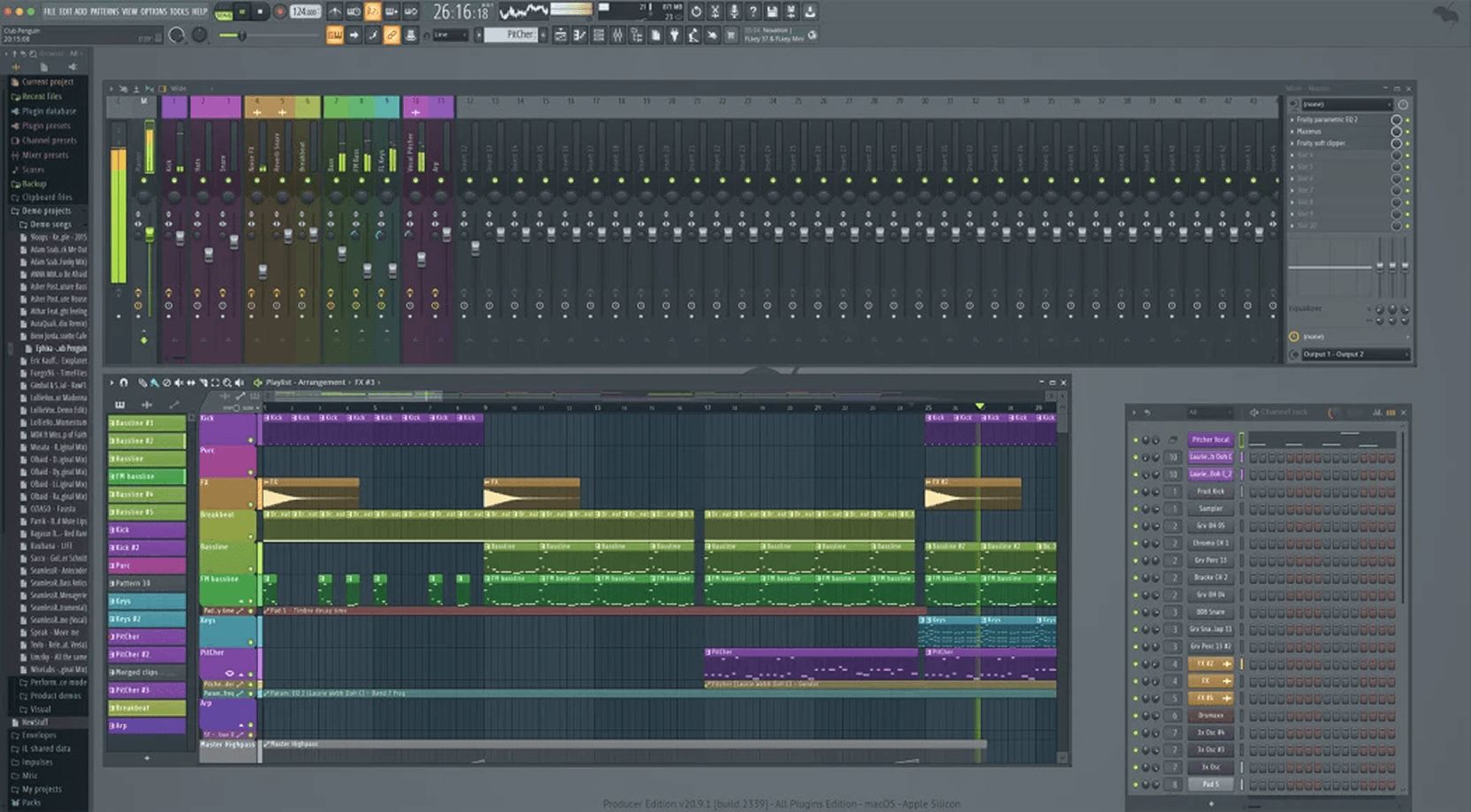
FL Studio organizes beatmaking across three main windows: the Channel Rack, the Piano Roll, and the Playlist. This structure lets you quickly sequence drum patterns, program 808s and hi-hat rolls, and then arrange your ideas into songs.
The built-in chord generator lets you make easy progressions without music theory knowledge.
If you get stuck, the Gopher AI assistant is there to answer your questions and help you learn the software.
The free trial has no time limit and lets you export both WAV and MP3 files.
The biggest catch here is that although you can save projects, you can’t actually reopen them until you buy a license.
Pros
- Packed with virtual instruments and effects
- Lifetime of free updates
- Free trial has no time limit
Cons
- Unique interface takes getting used to
- Lacks audio recording and is limited to 8 audio clips
- Higher upfront costs than some beginner options
3. Best DAW for beginner electronic and pop producers: Ableton Live Lite
Quick overview of Ableton Live Lite
| Operating system | macOS 11 or later, Windows 10/11 or later |
|---|---|
| System requirements | Multi-core processor, 8 GB RAM, and 3 GB disk space |
| Track limit | 8 audio/MIDI tracks, 16 scenes, and 2 send/return tracks |
| Included plugins | 5 instruments, 16 audio effects, and 10 MIDI effects |
| Included content | Ableton Core Library, presets, drum kits, and 1.3 GB of downloadable sounds |
| Price | Included with LANDR Studio Pro subscription. Also free with most major MIDI controllers and audio interfaces. |
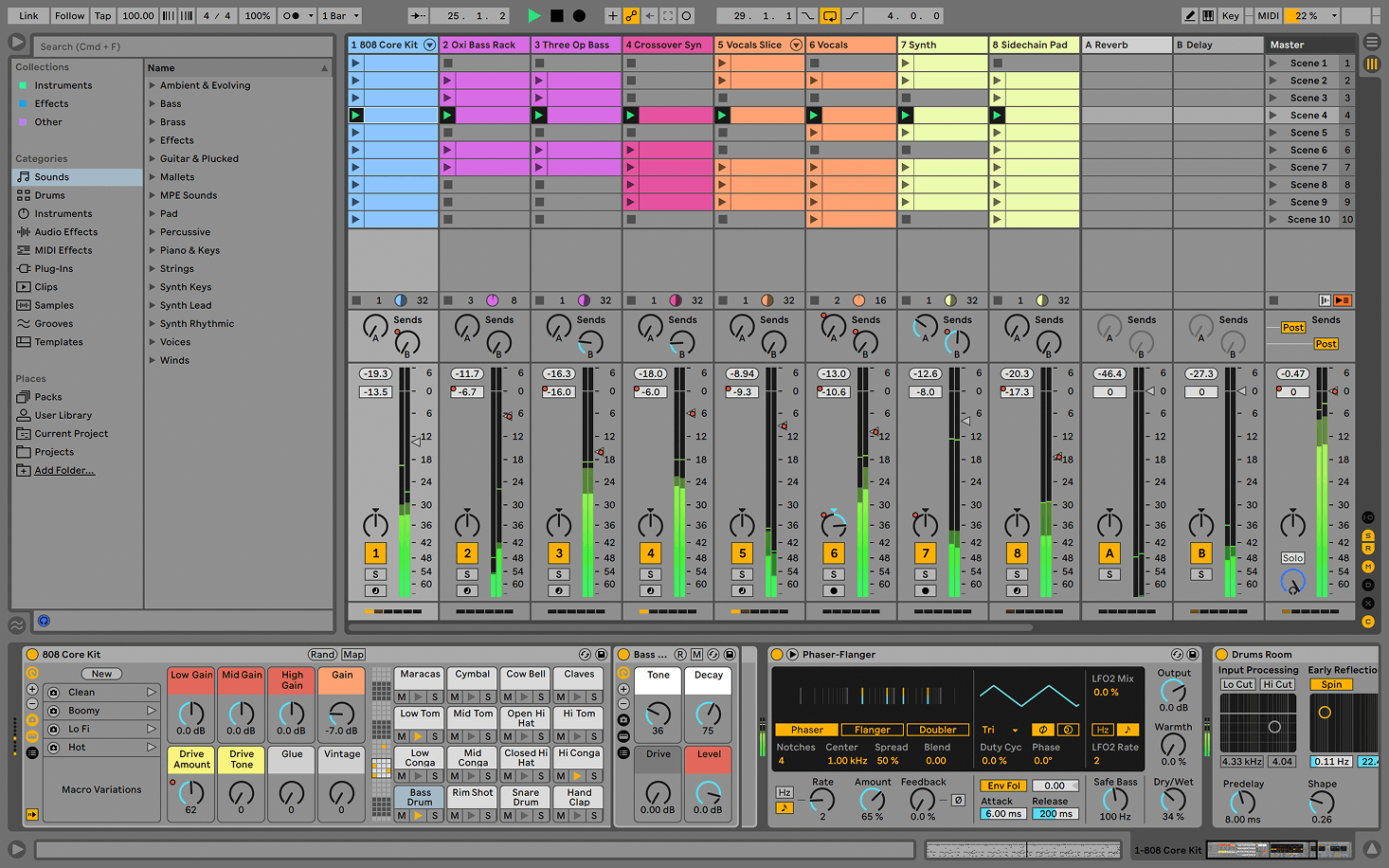
Ableton Live Lite is our pick for the best DAW for beginners who want to produce electronic music.
Its modern interface makes a deep, capable program feel fun and approachable, with tools that naturally encourage you to experiment.
While Live Lite is a stripped-down version of the full software, don’t let the “Lite” tag fool you. It gives you just enough of Ableton’s magic to get started making beats, experimenting with synths, or performing live.
It’s also great for recording pop vocals and manipulating samples and recorded audio.
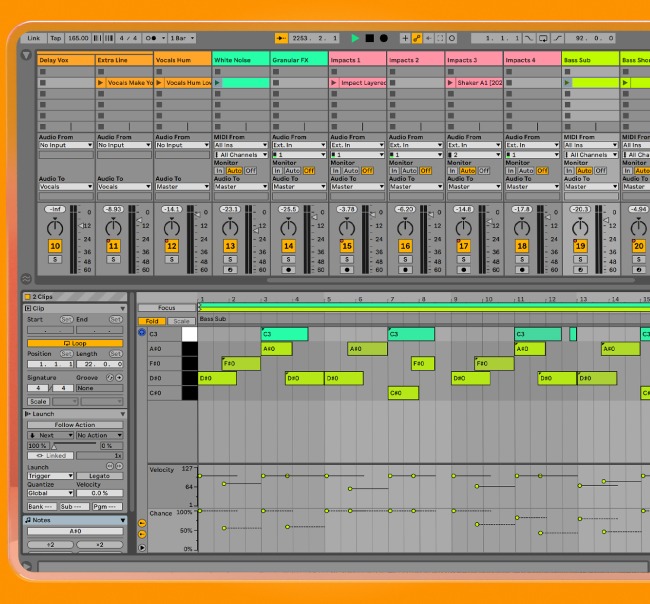
Ableton’s standout feature is Session View, a grid-based interface that lets you trigger clips and loops in real time.
This layout makes it incredibly intuitive to build tracks piece by piece and jam freely before switching to a traditional timeline. And, of course, Ableton’s iconic audio warping engine lets you freely stretch loops and tweak timing on the fly.
The biggest catch is the strict 8-track limit, which means lite isn’t ideal for large, complex sessions.
However, you get to learn the Ableton ecosystem and build a workflow you can grow with.
Once you are ready to level up, moving to Ableton Live Standard or Suite is a completely smooth transition.
Pros
- Intuitive, modern interface that encourages experimentation
- Session View lets you jam with loops and try different combinations
- Flexible audio warping for manipulating sounds
- Projects carry over when you upgrade
Cons
- Eight-track limit can become restrictive quickly
- Smaller selection of effects and instruments than paid editions
- Usually requires an eligible hardware, app, or subscription bundle
4. Best free DAW for sound design and synths: Reason Free
Quick overview of Reason Free
| Operating system | macOS 11 (64-bit) or later, or Windows 10 (64-bit) with the latest updates |
|---|---|
| System requirements | Multi-core processor (Intel, AMD, Apple Silicon, or Windows ARM), 4 GB RAM, and 20 GB disk space |
| Track limit | 16 total audio or instrument tracks |
| Included plugins | 15 core Rack devices (including Europa, Kong Drum Designer, Monotone, Scream 4, and RV7000 Mk II) |
| Included content | Factory patches, drum kits, and presets |
| Price | Free |
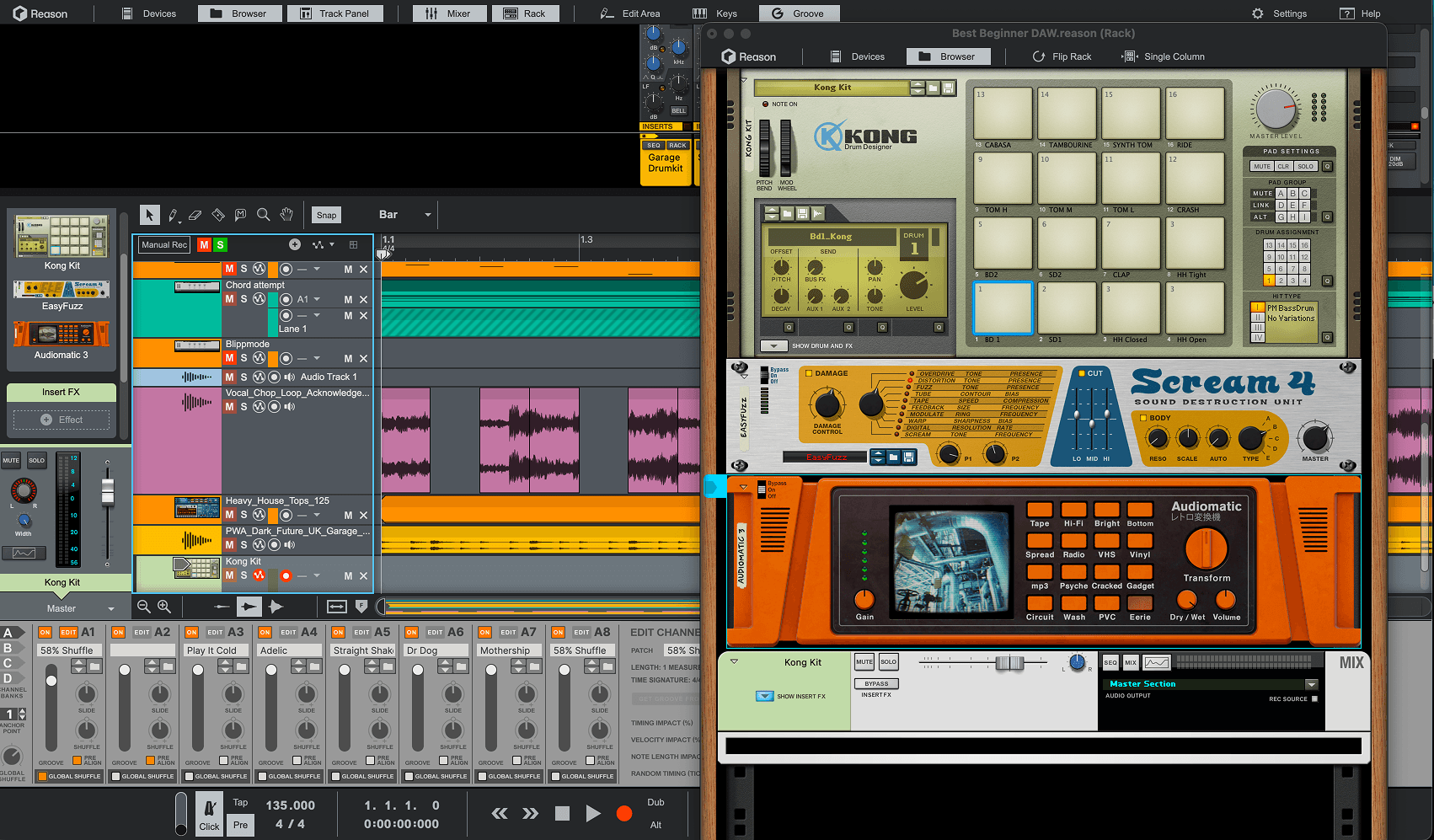
Reason Free is the best DAW for beginners who want powerful, built-in sound design options that sound excellent right from the moment you start exploring them.
The included instruments are the biggest draw here. If you want an arsenal of fun, inspiring, and colorful tools, look no further.
The workflow centers on the Rack, where you can flip the interface around and patch cables just like real studio hardware.
It is a wildly creative environment, and its secret weapon is that it also runs as a plugin inside other DAWs.
If you eventually outgrow the free track limit or decide to switch to another platform, you can take the entire Reason Rack and all your custom sounds with you.
Pros
- Free forever with no strings attached
- Premium synths, drum machines, samplers, and effects
- Powerful sound design tools and routing
Cons
- Limit of 16 total audio and instrument tracks per project
- Moderate learning curve for beginners
5. Best cloud-based DAW for beginners: BandLab
Quick overview of BandLab
| Operating system | Web browsers, iOS, and Android |
|---|---|
| System requirements | Any device with a web browser and internet connection |
| Track limit | 6 tracks with a 15-minute maximum song length |
| Included plugins | 430 instruments, 100 effects |
| Included content | 20 royalty-free samples per week from BandLab Sounds |
| Price | Free |
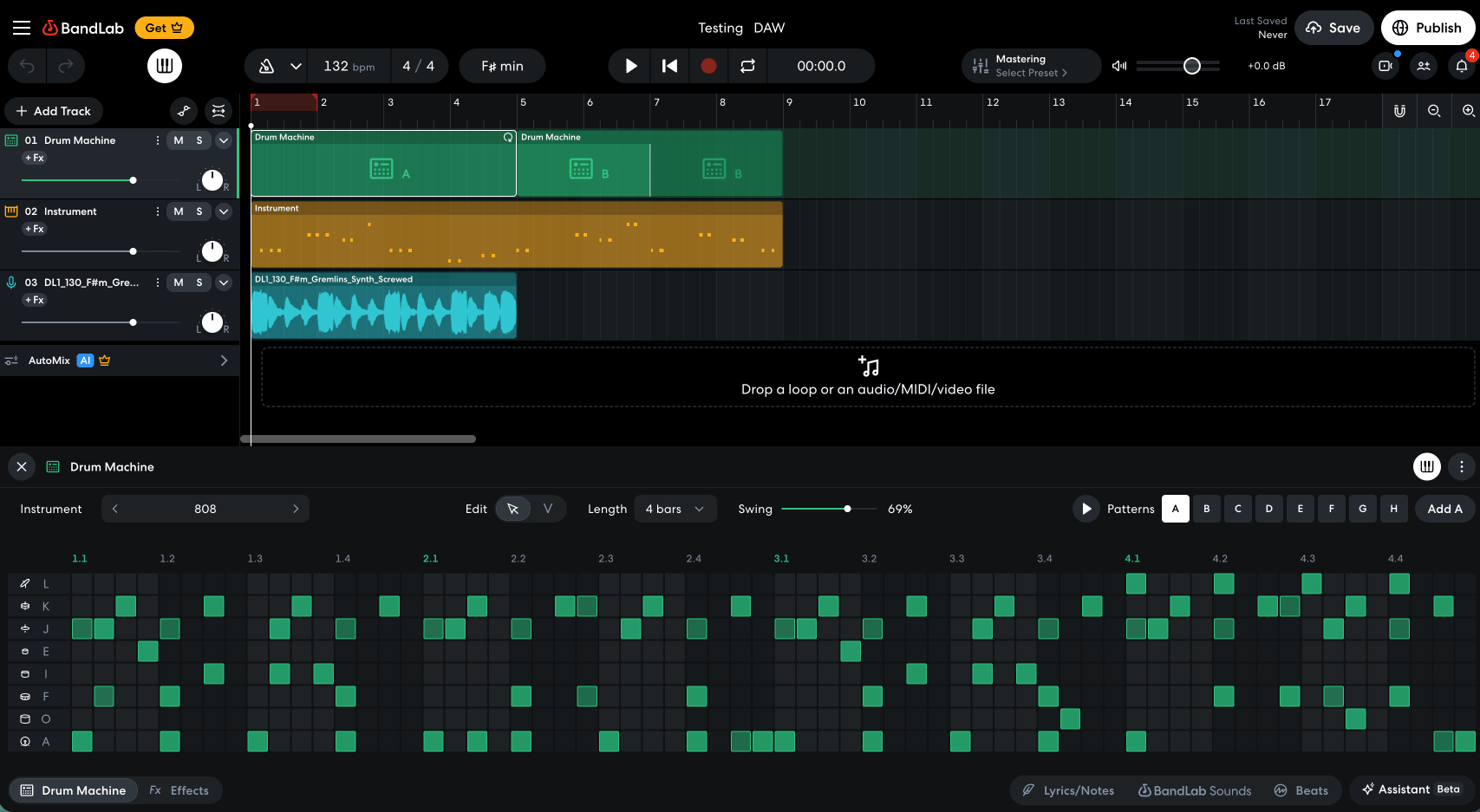
BandLab might be one of the best DAWs for beginners with no production experience, no budget, and a desire to test the waters of music making.
This cloud-based DAW lets you record vocals, program instruments, and arrange loops in a browser or on your phone.
Would it be our first choice for professional recording and mixing? No. Its track limits, restricted features, and intrusive ads hold it back.
You may outgrow it fast as your productions grow more ambitious, but it earns a place on this list for its sheer accessibility.
Maybe you don’t own a computer but are young, music obsessed, and just want to start creating, BandLab could be your way in.
This may be how Gen Alpha learns the basics of music production. And that super accessible starting point can lead to real success.
Florida rapper Luh Tyler recorded his viral hit “Law & Order” on his phone using BandLab, helping him land a major-label deal. A limited setup doesn’t necessarily limit how far a song can travel. Anything is possible.
Pros
- Free
- Requires zero installation
- An extensive list of free instruments
Cons
- Loud disruptive advertisements on the free tier
- No third-party plugins
- Clunky MIDI editing
- Effects are not always professional-grade quality
6. Best DAW for aspiring audio engineers: Pro Tools Intro
Quick overview of Pro Tools Intro
| Operating system | macOS and Windows |
|---|---|
| System requirements | 16 GB RAM and 15 GB disk space |
| Track limit | 8 audio tracks, 8 instrument tracks, and 8 MIDI tracks |
| Included plugins | 36+ effects and instrument plugins |
| Included content | Basic loops and Splice integration |
| Price | Free |
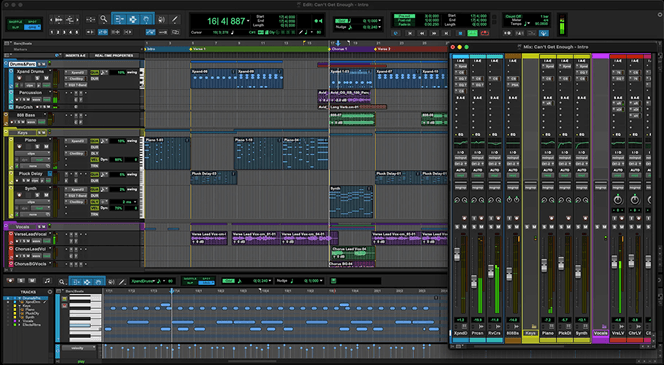
Pro Tools Intro is our top pick if you want to work commercially as an audio engineer in traditional studios.
The name is accurate. It provides a completely free entry point to the industry-standard software used in professional recording environments.
The biggest advantage for a beginner is learning a workflow you’ll later encounter in commercial studios. You can also send your demo sessions to engineers who use Pro Tools and keep working in the same format.
The interface takes time to learn, and the free tier has track limitations. However, once you outgrow those limits, there is a clear path to upgrading later without losing any of your earlier projects.
If studio work is your goal, Pro Tools is a safe bet.
Just keep in mind that because it is built for precise audio engineering, it’s not always as much fun or creatively inspiring to use as some of the other DAWs on this list.
Pros
- Teaches you a workflow that can help you get hired
- Includes 36 free high-quality plugins
- Clear path to upgrading later
- Supports third-party plugins
Cons
- Strictly limited to 8 audio tracks and 8 MIDI tracks
- Steeper learning curve for absolute beginners
- Less fun and creative than other DAWs
7. Best DAW for tech-savvy beginners: Reaper
Quick overview of Reaper
| Operating system | Windows, macOS, and Linux |
|---|---|
| System requirements | 70 MB |
| Track limit | Unlimited |
| Included plugins | ReaPlugs and JS effects, ReaSynth, ReaSampleOmatic5000 |
| Included content | None |
| Price | $60 discounted license, free trial that works on the honor system |
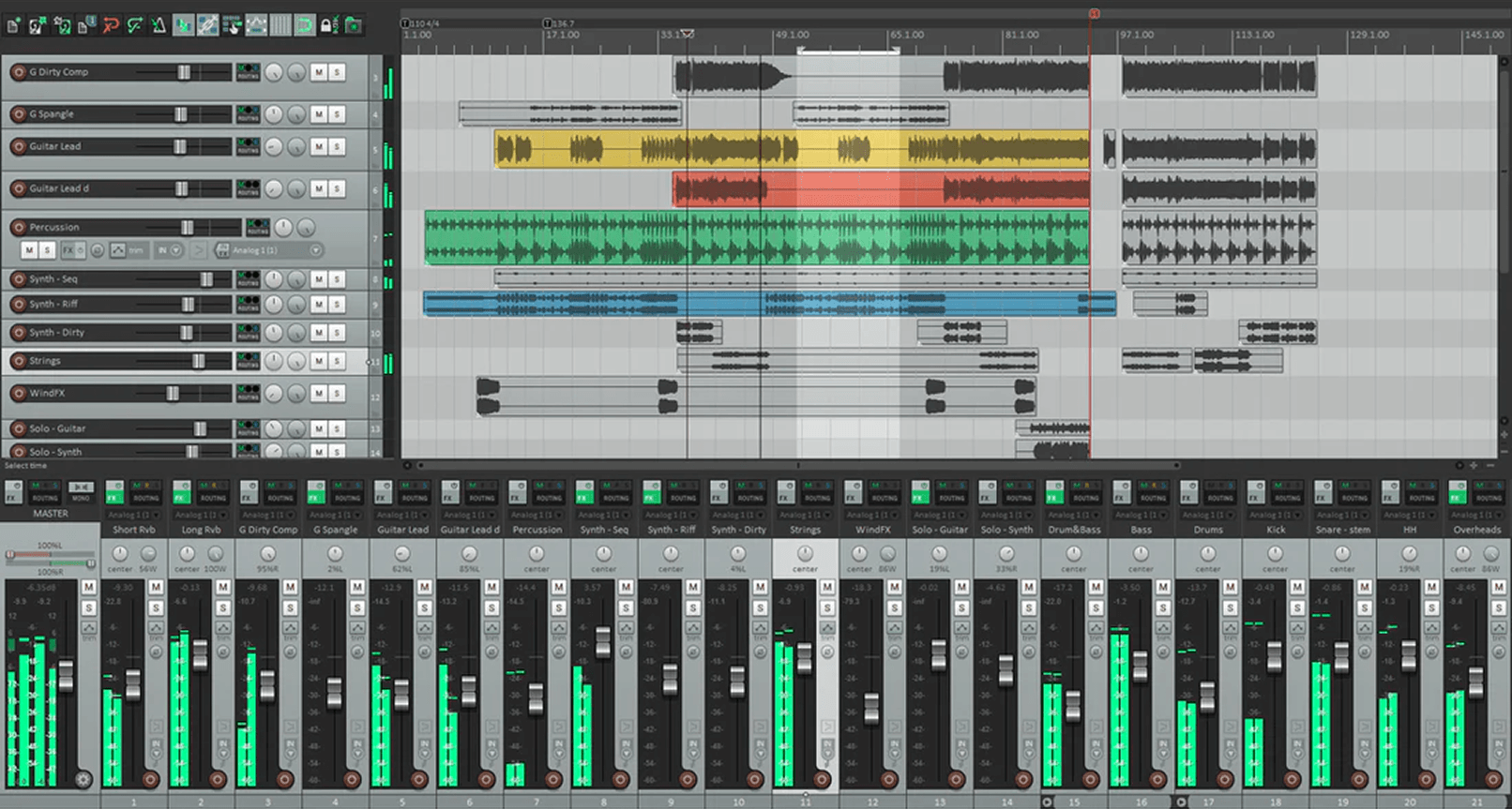
Reaper might not be the flashiest DAW on the market, but when it comes to value, CPU efficiency, and stability, it’s almost impossible to beat.
With a tiny installation footprint, it runs well on older laptops and can even run directly from a USB drive.
Since it uses a complete blank slate approach, it can sometimes be too intimidating for a day-one beginner.
However, if you’re tech-savvy, love to tinker, or already have a little bit of recording experience, Reaper is a powerhouse.
What makes Reaper special is its endless customization. You can download user-made scripts and themes to personalize it exactly how you want.
Reaper isn’t technically free. The 60-day trial period runs on the honor system. This lets you thoroughly evaluate it before paying the $60 fee. For years, Reaper offered very little beyond a basic synth and sampler for making music.
Recently, a new collection of community-made instruments and effects expands those options, though you’ll need to install them separately. Installing the collection took a bit more troubleshooting than I expected.
It’s impressive how lightweight they are but after testing them myself, I would have to admit they still sound a bit basic and uninspiring. It’s still encouraging to see the community stepping up.
Pros
- Light installation
- Highly customizable with user-made scripts
- Incredibly stable even with large and complex sessions
- Long, flexible trial period and an affordable license
Cons
- Interface feels outdated, even with custom themes
- No fun or inspiring instruments and samples
- Workflow could be intimidating to absolute beginners
8. Best DAW for beginner songwriters: Cubase LE
Quick overview of Cubase LE
| Operating system | Windows 11, macOS Monterey |
|---|---|
| System requirements | 8 GB RAM, 75 GB disk space |
| Track limit | 16 audio tracks and 24 MIDI tracks |
| Included plugins | 2 instruments and 28 audio effects |
| Included content | 20+ GB of sounds, loops, and samples |
| Price | Free with select hardware purchases |
Cubase LE is one of the best DAWs for beginners interested in traditional songwriting and orchestral composition. If you play an instrument or want to try arranging strings, piano, and other musical parts, it’s a good option.
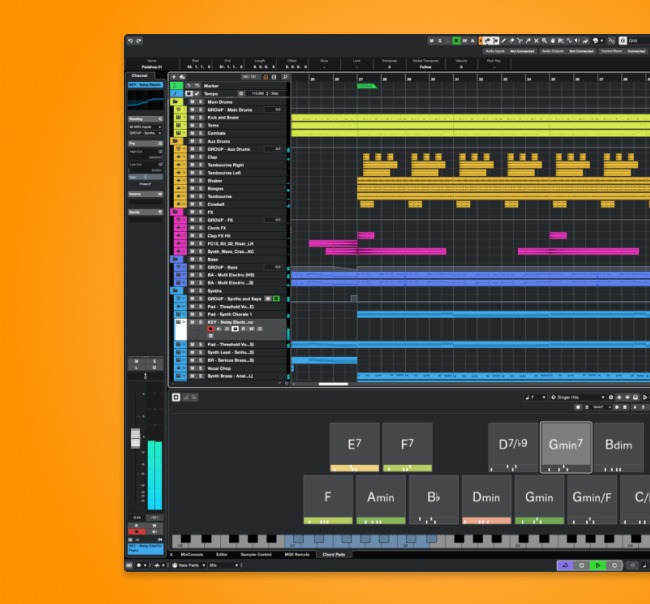
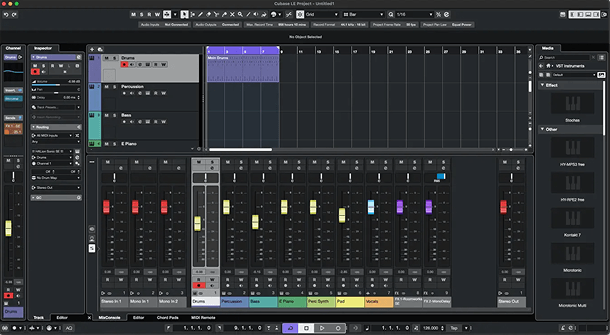
The built-in tools are incredibly helpful for musicians. Chord Pads let you map out chords, while the Chord Assistant helps you find what could come next.
The Score Editor displays your MIDI parts as traditional musical notation, which is perfect if you read music or want to print sheet music to share with live musicians.
There’s a learning curve here, and the limited track count and sound library mean you’ll have to start small. But you can develop your composing and recording skills, then move to a higher Cubase edition when you run out of room.
Pros
- Detailed editing
- Tools for exploring harmony
- Turns your compositions into sheet music
Cons
- Takes time to learn
- Larger arrangements may require an upgrade
9. Best free DAW with unlimited tracks: Waveform Free
Quick overview of Waveform Free
| Operating system | Windows, macOS, and Linux |
|---|---|
| System requirements | Multi-core processor, 4 GB RAM, and roughly 1 GB of disk space |
| Track limit | Unlimited |
| Included plugins | 4 instruments, 14 audio effects, 8 MIDI effects |
| Included content | 100 sounds for the Attracktive instrument |
| Price | Free, but pay-per-feature expansions |
Waveform Free is a capable DAW with unlimited audio and MIDI tracks and support for third-party plugins.
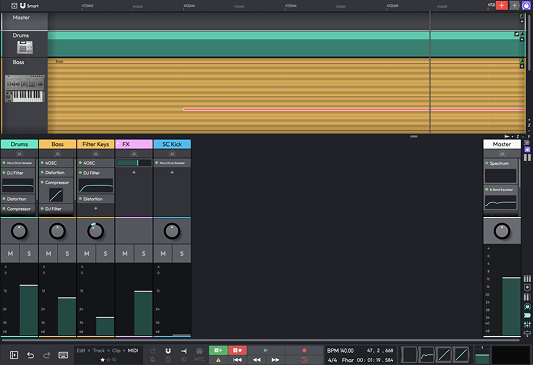
Its unique workflow keeps your arrangement, mixer, and MIDI editing all in one place. This layout lets you move between tasks without juggling multiple windows.
You can keep adding layers like vocal takes, synths, and drum tracks without ever upgrading to a paid version. The main drawback here is that many editing features do require paid expansions, so it might start to feel limited quickly.
The stock instruments and effects are fairly basic. However, if you lean on third-party plugins, you can easily build out a professional setup without ever paying for a license.
Pros
- Completely free with unlimited audio and MIDI tracks
- Unique single-window workflow is incredibly fast
- Full support for third-party plugins
Cons
- Unconventional interface can be confusing for beginners
- Stock instruments and effects are basic
- Expansions must be purchased for all the features
Final thoughts
The best DAW for beginners is one that fits your budget, and inspires you to keep learning and making new music.
Choosing your first DAW doesn’t have to mean choosing your DAW forever.
Take advantage of the free trials. Grab some free plugins while you’re at it.
Try making the same beat in two different DAWs and see which feels better. You’ll learn more about which workflow suits you personally than you can from just comparing feature lists.
Once you find a good fit, give yourself time to get the hang of it. Every DAW takes practice.
The more music you make, the easier it will get.

Tobias Rochman is a producer, musician, DJ, and writer based in Montréal. He co-founded Pelada, an electronic duo that released its debut album on the Berlin label PAN and toured extensively around the world, playing festivals including Primavera Sound and MUTEK, along with clubs such as Berghain. He now records and performs solo as RocMan and co-hosts Oblique Frequencies, a monthly electro radio show on n10.as
@Tobias RochmanGear guides, tips, tutorials, inspiration and more—delivered weekly.
Keep up with the LANDR Blog.